

Register Your Own MCP Server
Any MCP server that speaks streamable HTTP can be registered in Brutor. Once registered and assigned to a resource group, every portal user and agent in that group can call it through /v1/proxy/mcp/{server_id} — with tool filters, guardrails, approvals, and audit applied by the gateway, not by your server.
This walkthrough uses the pattern from brutor-weather-mcp-server: a single-tool server small enough to read in one sitting.
1. Build a minimal FastMCP server
Section titled “1. Build a minimal FastMCP server”import osimport httpxfrom mcp.server.fastmcp import FastMCP
HOST = os.getenv("MCP_HOST", "0.0.0.0")PORT = int(os.getenv("MCP_PORT", "3012"))
mcp = FastMCP(name="weather-assistant", host=HOST, port=PORT)
@mcp.tool()async def get_current_weather(city: str) -> str: """Gets the current weather in a given location. Geocodes the city, then fetches current conditions from Open-Meteo.
Args: city: Location of interest (city name) """ async with httpx.AsyncClient() as client: geo = await client.get( "https://nominatim.openstreetmap.org/search", params={"q": city, "format": "json", "limit": 1}, headers={"User-Agent": "MCP Weather Assistant"}, ) geo.raise_for_status() results = geo.json() if not results: return f"Could not find location data for '{city}'." lat, lon = float(results[0]["lat"]), float(results[0]["lon"])
wx = await client.get( "https://api.open-meteo.com/v1/forecast", params={"latitude": lat, "longitude": lon, "current_weather": True}, ) wx.raise_for_status() current = wx.json().get("current_weather", {}) return ( f"Weather for {results[0]['display_name']}: " f"{current.get('temperature', 'N/A')}°C, " f"wind {current.get('windspeed', 'N/A')} km/h" )
if __name__ == "__main__": # FastMCP serves the MCP protocol at the /mcp path mcp.run(transport="streamable-http")pip install "mcp[cli]" httpxpython weather_server.py# → MCP server available at http://0.0.0.0:3012 (protocol endpoint: /mcp)FastMCP’s streamable-HTTP transport serves the protocol at the /mcp path — the connectable URL is http://localhost:3012/mcp. The tool’s docstring and type hints become the MCP tool description and input schema automatically.
Smoke-test it directly
Section titled “Smoke-test it directly”Streamable-HTTP MCP is stateful — every call after initialize must carry the Mcp-Session-Id the server returns. A bare tools/list gets Bad Request: Missing session ID.
# 1. Initialize — grab the session id from the response headerscurl -s -D - -X POST http://localhost:3012/mcp \  -H "Content-Type: application/json" \  -H "Accept: application/json, text/event-stream" \  -d '{"jsonrpc":"2.0","id":1,"method":"initialize","params":{        "protocolVersion":"2025-06-18",        "clientInfo":{"name":"curl-smoke","version":"1.0"},        "capabilities":{}}}'# → mcp-session-id: 0b0cfcef9f2d4aa3920482a49441da22
# 2. List tools with the session idcurl -s -X POST http://localhost:3012/mcp \  -H "Content-Type: application/json" \  -H "Accept: application/json, text/event-stream" \  -H "Mcp-Session-Id: 0b0cfcef9f2d4aa3920482a49441da22" \  -d '{"jsonrpc":"2.0","id":2,"method":"tools/list","params":{}}'
event: messagedata: {"jsonrpc":"2.0","id":2,"result":{"tools":[{"name":"get_current_weather","description":"Gets the current weather...","inputSchema":{"properties":{"city":{"title":"City","type":"string"}},"required":["city"],"type":"object"}}]}}2. Register it in Brutor
Section titled “2. Register it in Brutor”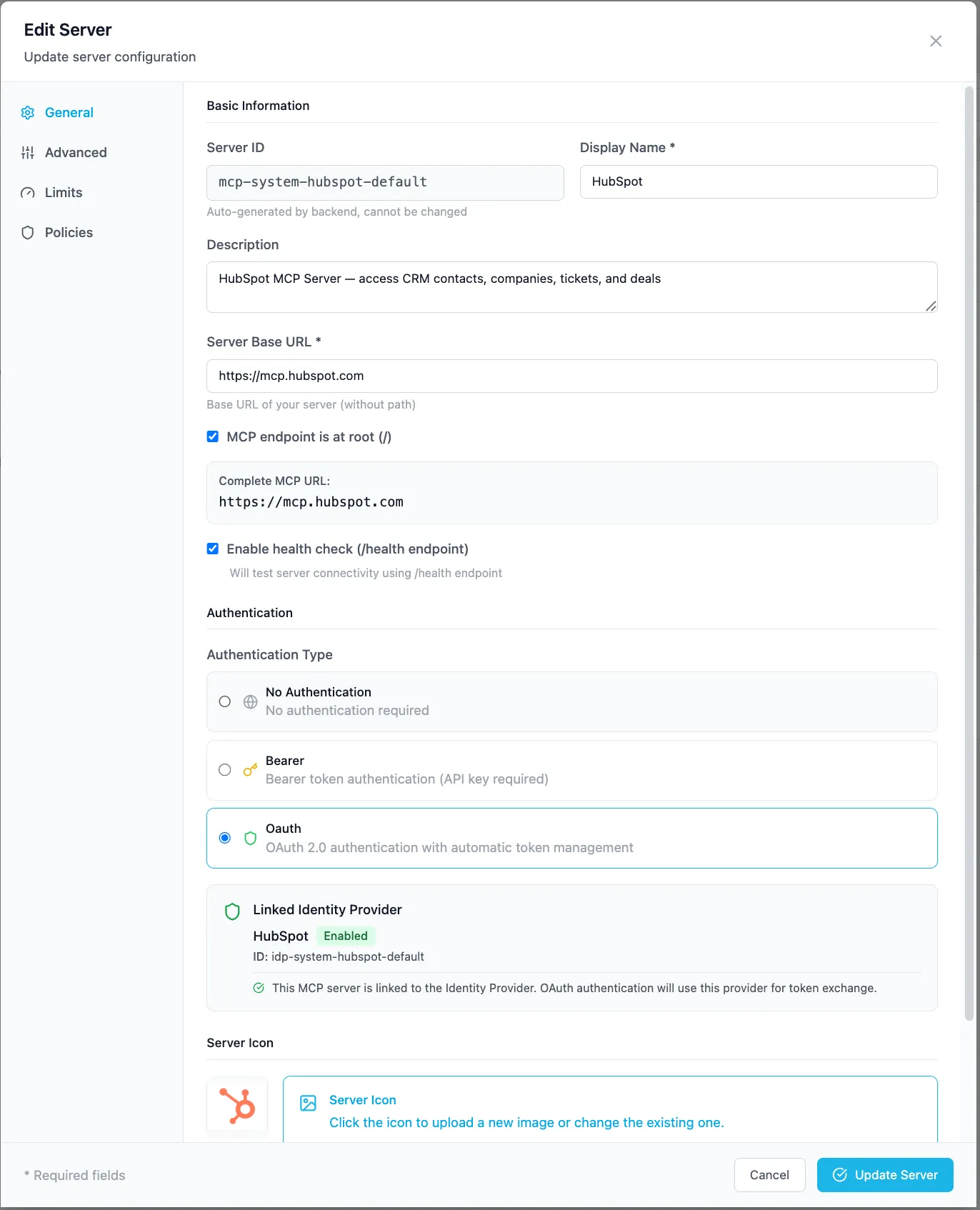
-
Admin UI (recommended): Resources → MCP Servers → Configuration → Add. Set Base URL
http://host.docker.internal:3012, MCP endpoint path/mcp, Auth typeNone(this server has no auth of its own — the gateway is where access control lives). Use Test Connection before saving; capability discovery runs automatically on create — and records which MCP protocol version and wire dialect (handshakeor stateless2026-07-28) your server negotiated, so the gateway speaks your server’s own dialect from then on. -
Or via the Admin API (Control Plane,
:5050— login first, see setup scripts):Terminal window curl -s -X POST http://localhost:5050/v1/admin/mcp-servers \-H "Authorization: Bearer $ADMIN_TOKEN" \-H "Content-Type: application/json" \-d '{"name": "Weather Assistant","description": "Demo weather tool (Open-Meteo)","base_url": "http://host.docker.internal:3012","mcp_endpoint_path": "/mcp","auth_type": "none","timeout": 30.0,"enabled": true}'The response includes the generated server id —
mcp-01ARZ3NDEKTSV4RRFFQ69G5FAV— which is also the path segment of the governed endpoint. Registration is idempotent bybase_url+mcp_endpoint_path: a duplicate returns409.Useful maintenance endpoints:
Endpoint Purpose POST /v1/admin/mcp-servers/test-connectionProbe a URL (with OAuth/OIDC discovery) before creating POST /v1/admin/mcp-servers/{id}/refresh-capabilitiesRe-discover tools/resources/prompts after you add a tool POST /v1/admin/mcp-servers/{id}/health-checkOn-demand health probe (the gateway also health-checks periodically) POST /v1/admin/mcp-servers/{id}/iconUpload an icon (multipart) shown in the portal’s server picker -
Assign it to a resource group. Access is granted through a server configuration — the object the portal and agents discover servers by:
Terminal window curl -s -X POST http://localhost:5050/v1/admin/server-configs \-H "Authorization: Bearer $ADMIN_TOKEN" \-H "Content-Type: application/json" \-d '{"name": "Weather (Sales workspace)","mcp_server_id": "mcp-01ARZ3NDEKTSV4RRFFQ69G5FAV","group_ids": ["rg-01ABC..."],"display_name": "Weather","enabled": true}'In the Admin UI this is the server’s Access tab. From here you can also set per-group tool filters (enable/disable individual tools) and approval requirements — see Resource Groups.
3. Call it through the gateway
Section titled “3. Call it through the gateway”Same JSON-RPC as the direct smoke test, but now against the governed endpoint with an API key from the resource group:
curl -s -X POST http://localhost:8100/v1/proxy/mcp/mcp-01ARZ3NDEKTSV4RRFFQ69G5FAV \ -H "Authorization: Bearer sk_brutor_api_..." \ -H "Content-Type: application/json" \ -H "Accept: application/json, text/event-stream" \ -H "Mcp-Session-Id: 0b0cfcef9f2d4aa3920482a49441da22" \ -d '{"jsonrpc":"2.0","id":3,"method":"tools/call", "params":{"name":"get_current_weather","arguments":{"city":"Berlin"}}}'event: messagedata: {"jsonrpc":"2.0","id":3,"result":{"content":[{"type":"text","text":"Weather for Berlin, Deutschland: 21.4°C, wind 11.2 km/h"}]}}Success moment: open Mission Control → Traffic (or Monitoring → Proxy Logs) and find the tools/call row — caller, server, capability name, latency, and the argument preview are all there.
Then try it from the User Portal: log in as a user in the same resource group, ask a chat “what’s the weather in Berlin?” — the model discovers get_current_weather and calls it through the gateway.
What the gateway now enforces for you
Section titled “What the gateway now enforces for you”Your 60-line server gained, with zero code in it:
- Access control — only credentials in the assigned resource group(s) can reach it; per-tool enable/disable per group
- Approvals — mark a tool “requires approval” and calls pause for a human (Approvals)
- Guardrails —
mcp_inputchecks on arguments,mcp_outputchecks (e.g. PII redaction) on results (Guardrails) - Health checks — periodic probes; unhealthy servers are flagged in the Admin UI and portal
- Audit + metering — every call logged and attributed
Related
Section titled “Related”- Use MCP tools through the gateway — connecting clients to your new endpoint
- OAuth for MCP tools — servers backed by SaaS APIs needing user OAuth
- Build an agent — consume your server from an agent loop