
Compliance
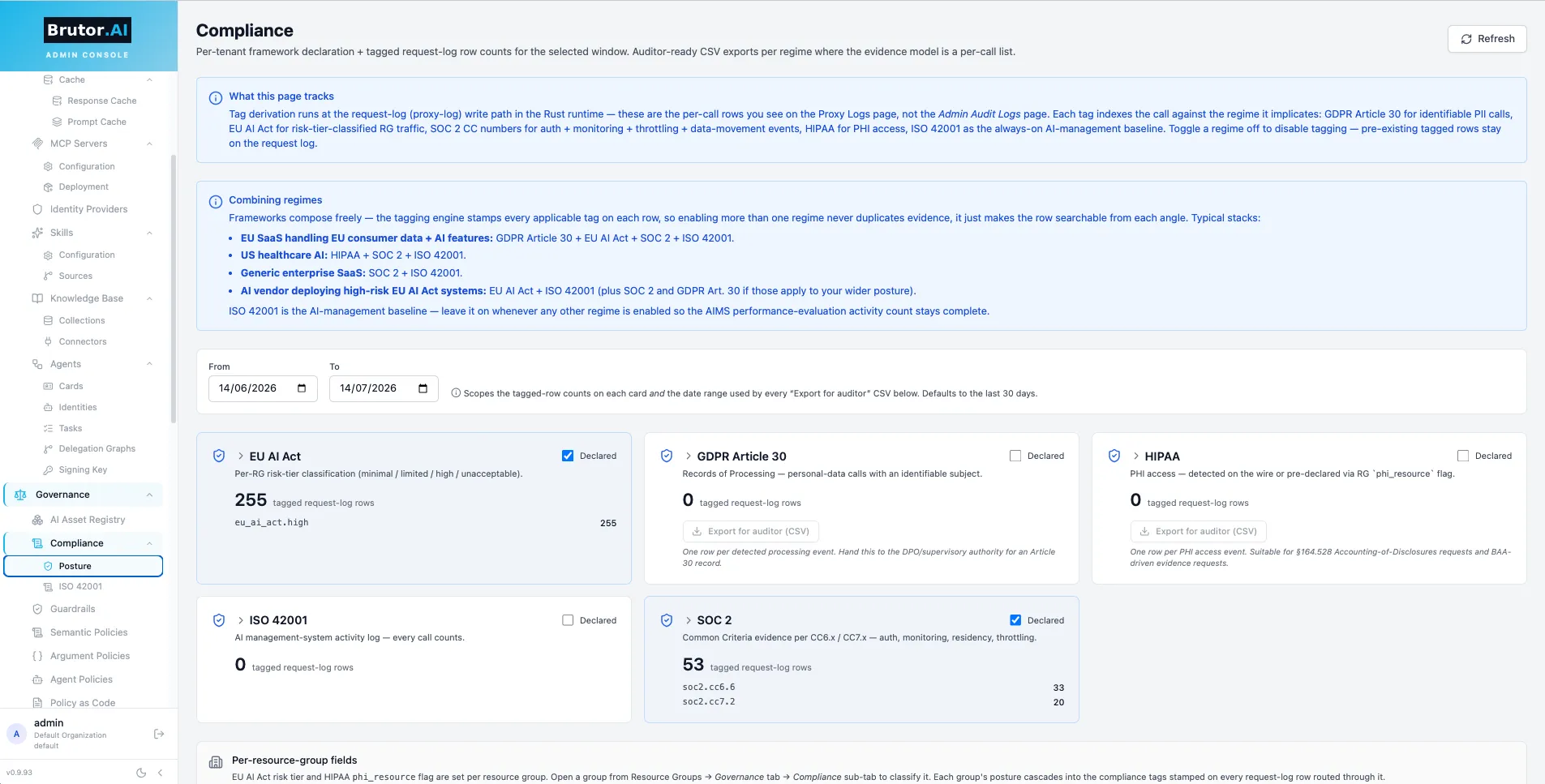
Brutor can stamp every governed request with compliance framework tags and turn its audit trail into auditor-ready evidence. Tagging is opt-in per tenant: until you declare a compliance profile, no tags are written.
The supported framework keys are:
| Key | Framework | What it evidences |
|---|---|---|
soc2 |
SOC 2 Common Criteria | Access control, authorization, monitoring, capacity controls |
eu_ai_act |
EU AI Act | Per-resource-group risk-tier classification of AI usage |
hipaa |
HIPAA | Access to PHI-handling resources, plus detected PHI in traffic |
gdpr_art_30 |
GDPR Article 30 | Records of Processing Activities (RoPA) |
iso_42001 |
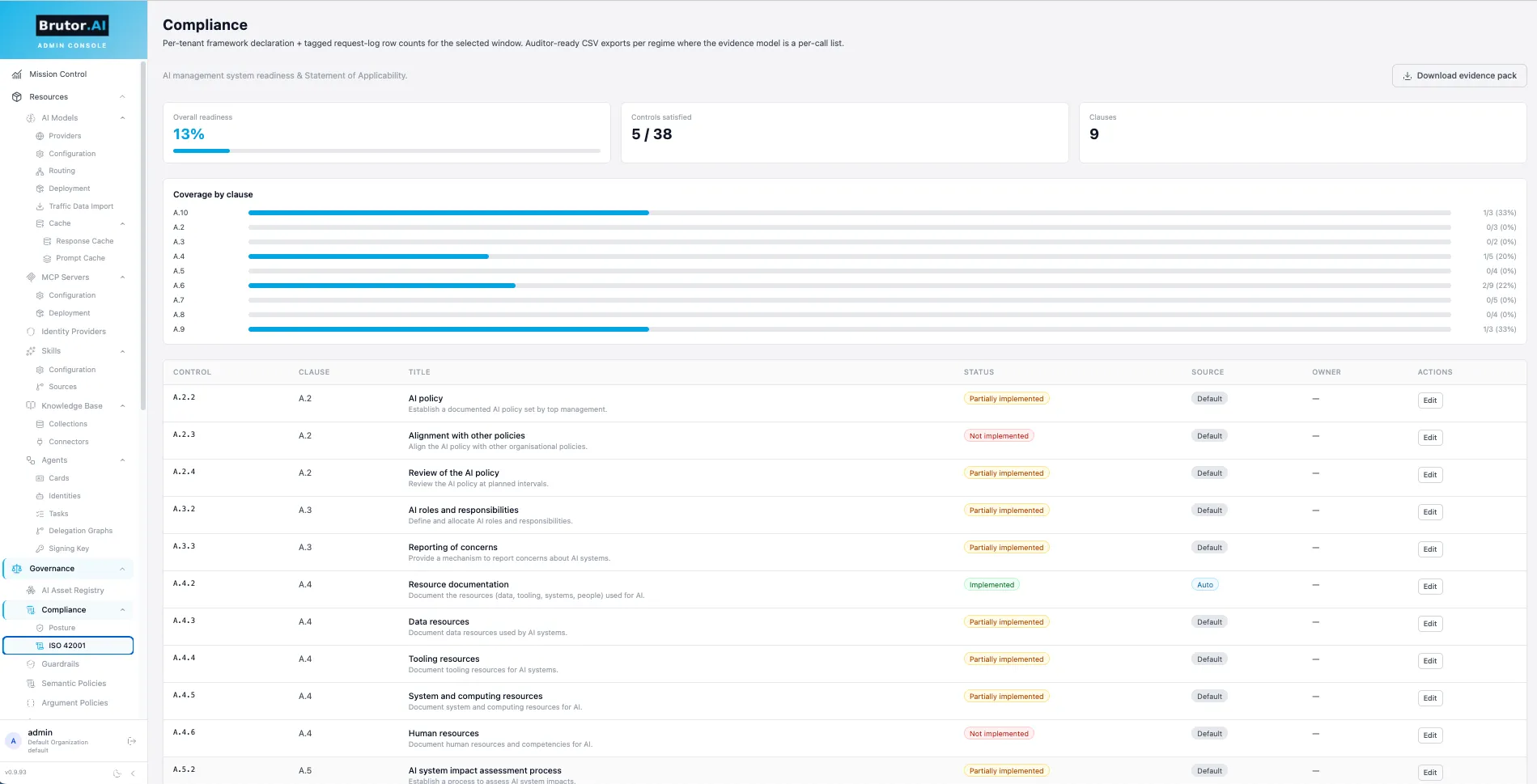
ISO/IEC 42001 | AI management system activity |
Enable a compliance profile
Section titled “Enable a compliance profile”The profile is a per-tenant list of frameworks. An empty list (the default) disables tagging entirely — the engine short-circuits and compliance_tags stays NULL on every log row.
curl -X PATCH http://localhost:5050/v1/admin/compliance/profile \ -H "Authorization: Bearer $ADMIN_TOKEN" \ -H "Content-Type: application/json" \ -d '{"frameworks": ["soc2", "eu_ai_act", "hipaa", "gdpr_art_30"]}'{ "frameworks": ["soc2", "eu_ai_act", "hipaa", "gdpr_art_30"], "known_frameworks": ["eu_ai_act", "gdpr_art_30", "hipaa", "iso_42001", "soc2"]}Read the current profile with GET /v1/admin/compliance/profile.
Classify resource groups
Section titled “Classify resource groups”Two frameworks need per-resource-group classification, set on the group itself (regular resource-group PATCH):
eu_ai_act_risk_tier— one ofminimal,limited,high,unacceptable(ornullto clear)phi_resource—trueif the group handles Protected Health Information (only meaningful when the tenant profile includeshipaa)
curl -X PATCH http://localhost:5050/v1/admin/resource-groups/{group_id} \ -H "Authorization: Bearer $ADMIN_TOKEN" \ -H "Content-Type: application/json" \ -d '{"eu_ai_act_risk_tier": "high", "phi_resource": true}'Omitting a field leaves it unchanged; sending null for eu_ai_act_risk_tier clears the tier.
What gets tagged
Section titled “What gets tagged”When a request executes, the tagging engine derives the applicable tags from the tenant profile, the active resource group’s classification, and the governance outcome, then stamps them on the audit row (compliance_tags):
| Tag | Fires when |
|---|---|
soc2.cc6.1 |
Logical access controls exercised |
soc2.cc6.6 |
Authorization decision |
soc2.cc6.7 |
Data movement control (e.g. residency block) |
soc2.cc7.1 |
Capacity / rate-limit control |
soc2.cc7.2 |
System monitoring event (e.g. guardrail block) |
eu_ai_act.minimal / .limited / .high / .unacceptable |
Request ran in an RG with that risk tier |
hipaa.phi |
PHI detected in the traffic itself |
hipaa.rg_marked |
Request ran in an RG marked phi_resource: true |
gdpr_art_30 |
Processing-activity record for RoPA |
iso_42001 |
AI management system activity |
The distinction between NULL and [] is preserved deliberately: NULL means the tagging engine never ran (no profile), [] means it ran and found no applicable regime — different audit states.
Reports and exports
Section titled “Reports and exports”All report endpoints live under /v1/admin/compliance and accept an optional time window via from and to query params (ISO-8601, e.g. 2026-06-01T00:00:00Z):
| Endpoint | Returns |
|---|---|
GET /dashboard |
Per-framework tag counts vs the declared profile — the at-a-glance posture view |
GET /gdpr/article-30?format=json|csv |
Records of Processing Activities export |
GET /eu-ai-act/risk-classification |
Per-RG declared tiers + request counts per tier |
GET /soc2/control-coverage |
Per-control (CC6.1–CC7.2) event counts with samples |
GET /hipaa/phi-access?format=json|csv |
Every call tagged hipaa.phi or hipaa.rg_marked |
GET /iso-42001/activity |
AI management system activity summary |
Example — pull the SOC 2 control coverage for June:
curl "http://localhost:5050/v1/admin/compliance/soc2/control-coverage?from=2026-06-01T00:00:00Z&to=2026-07-01T00:00:00Z" \ -H "Authorization: Bearer $ADMIN_TOKEN"{ "from": "2026-06-01T00:00:00+00:00", "to": "2026-07-01T00:00:00+00:00", "controls": { "soc2.cc6.1": { "count": 18423 }, "soc2.cc6.6": { "count": 18423 }, "soc2.cc6.7": { "count": 12 }, "soc2.cc7.1": { "count": 87 }, "soc2.cc7.2": { "count": 34 } }}CSV variants (?format=csv) stream a downloadable file — hand it straight to your auditor.
Rollout checklist
Section titled “Rollout checklist”-
Declare the tenant profile (
PATCH /v1/admin/compliance/profile) with the frameworks you’re audited against. -
If
eu_ai_actis in the profile, seteu_ai_act_risk_tieron every resource group that fronts an AI use case. Ifhipaais in the profile, mark PHI-handling groups withphi_resource: true. -
Let traffic flow for a period, then check
GET /v1/admin/compliance/dashboard— every declared framework should show non-zero tag counts. -
Wire the CSV exports into your evidence-collection cadence.
Compliance tags are queryable in the proxy log explorer too (filter by compliance_tags), so you can drill from a report number to the underlying requests.