

Managing stored OAuth tokens
Every successful authorization leaves one stored token per (tenant, IdP user, MCP server). Admins see and revoke them in AI Estate → Resources → MCP Servers → Configuration → MCP Server Access → OAuth Tokens. Encrypted token material is never shown.
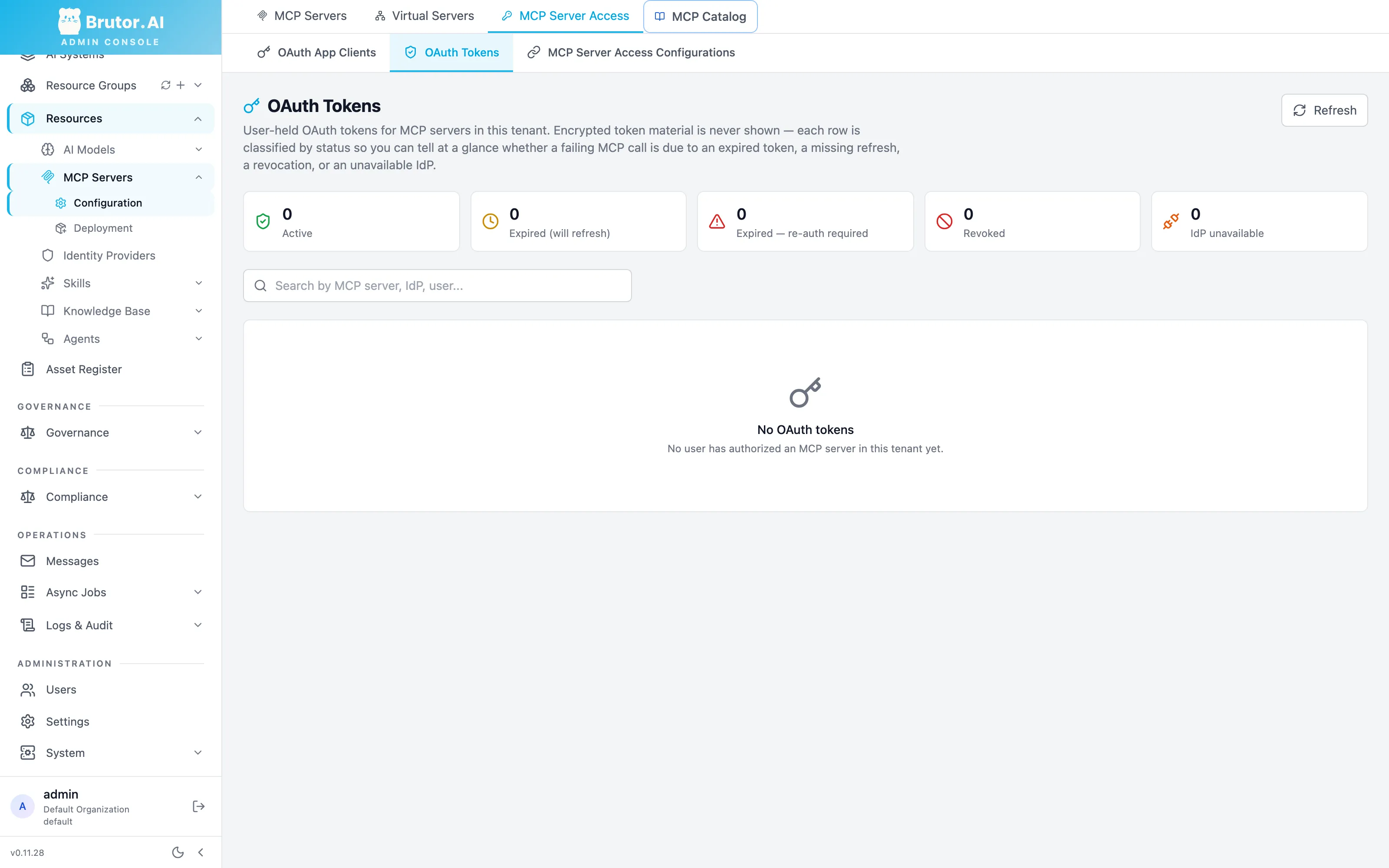
Statuses
Section titled “Statuses”Each row is classified so you can tell why a user’s MCP calls fail:
| Status | UI label | Meaning | What happens next |
|---|---|---|---|
active |
Active | Not expired, not revoked, IdP enabled | Calls use it |
expired_with_refresh |
Expired (will refresh) | Expired, refresh token stored | The gateway refreshes it on the next call |
expired_no_refresh |
Expired — re-auth required | Expired, no refresh token | The next call returns 401 oauth_reauth_required; the user must authorize again |
revoked |
Revoked | Revoked by an admin, the user, the IdP, or an issuer change | The user must authorize again |
idp_unavailable |
IdP unavailable | The IdP record is deleted or disabled | Nothing works until the IdP is restored |
Revoking
Section titled “Revoking”Revoke on a row, or Revoke N for every row matching the current filters. An admin revocation:
- marks the row revoked and erases both the encrypted access token and refresh token, so the row can never be re-enabled, and
- if the IdP has a Revocation Endpoint, also revokes the access token at the provider (RFC 7009), using the stored client credentials. A failure there is reported per row but does not undo the local revocation.
This is stronger than the user-side POST .../revoke,
which only flags the row.
Admin API
Section titled “Admin API”All three endpoints live on the Control Plane under /v1/admin/oauth-tokens and need a
tenant-admin token (see Configure
for login).
curl -s "http://localhost:5050/v1/admin/oauth-tokens?mcp_server_id=mcp-system-hubspot-default&status=expired_no_refresh&limit=50" \ -H "Authorization: Bearer $TOKEN" -H "X-Tenant-ID: default"| Query parameter | Meaning | Example |
|---|---|---|
mcp_server_id |
One MCP server | mcp-system-hubspot-default |
idp_id |
One identity provider | idp-system-hubspot-default |
gateway_user_id |
One portal user | 42 |
status |
One status from the table above (anything else is 400) |
expired_no_refresh |
limit |
1 to 1000, default 200 | 50 |
{ "tokens": [ { "id": 17, "tenant_id": "default", "gateway_user_id": "42", "gateway_username": "martin", "idp_user_id": "52731918", "idp_id": "idp-system-hubspot-default", "idp_name": "HubSpot", "mcp_server_id": "mcp-system-hubspot-default", "mcp_server_name": "HubSpot", "scopes": "oauth crm.objects.contacts.read", "token_type": "bearer", "expires_at": "2026-10-28T15:02:44+00:00", "revoked": false, "revoked_at": null, "has_refresh_token": false, "refresh_count": 0, "last_refreshed_at": null, "created_at": "2026-10-28T14:32:44+00:00", "updated_at": "2026-10-28T14:32:44+00:00", "status": "expired_no_refresh", "status_reason": "Token expired and no refresh token is stored. User must re-authorize this MCP server from the portal." } ], "summary": { "total": 1, "active": 0, "expired_with_refresh": 0, "expired_no_refresh": 1, "revoked": 0, "idp_unavailable": 0 }, "timestamp": "2026-10-28T16:30:30.005813+00:00"}Revoke one
Section titled “Revoke one”curl -s -X POST http://localhost:5050/v1/admin/oauth-tokens/17/revoke \ -H "Authorization: Bearer $TOKEN" -H "X-Tenant-ID: default"{ "revoked_count": 1, "results": [ { "token_id": 17, "mcp_server_id": "mcp-system-hubspot-default", "idp_id": "idp-system-hubspot-default", "idp_revoked": false, "idp_error": null } ], "timestamp": "2026-10-28T16:41:05.118402+00:00"}idp_revoked is true only when the provider’s revocation endpoint returned 2xx;
idp_error carries the provider’s status and the start of its body otherwise.
Revoke in bulk
Section titled “Revoke in bulk”curl -s -X POST http://localhost:5050/v1/admin/oauth-tokens/revoke-bulk \ -H "Authorization: Bearer $TOKEN" -H "X-Tenant-ID: default" \ -H "Content-Type: application/json" \ -d '{"gateway_user_id": "42"}'The body takes mcp_server_id, idp_id, gateway_user_id and status_filter; the
response has the same shape as a single revoke. Typical uses: offboarding a user
(gateway_user_id), an IdP breach or migration (idp_id), decommissioning a server
(mcp_server_id), forcing re-consent (status_filter: "active").